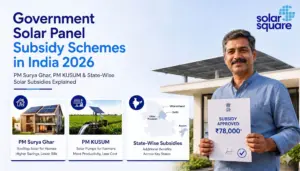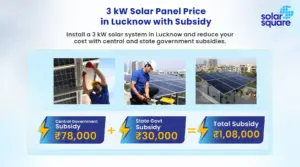


The PM Surya Ghar Muft Bijli Yojana promises up to ₹78,000 of subsidy credited directly to your bank account for installing rooftop solar within 30 days of approval. But for thousands of applicants across India, that promise ends in a confusing rejection notice, or worse, a silent stall on the portal with no explanation at all.
Most of these issues have nothing to do with the solar installation itself. Instead, they arise from incorrect bank details, document mismatches, or data entry errors.
If you’re planning to apply for the rooftop solar subsidy, here’s a checklist of the ten most common mistakes to avoid.
Why Does a PM Surya Ghar Application Get Rejected?
A PM Surya Ghar Muft Bijli Yojana application may be rejected if the application details, documents, or rooftop solar panel installation do not meet the scheme’s requirements. Common reasons include:
- Incorrect or mismatched details in the application, such as consumer number or electricity connection details.
- Incomplete or incorrect documents submitted during the application or subsidy process.
- Ineligible electricity connection or property that does not meet scheme requirements.
- Installation not meeting technical requirements or using non-compliant equipment.
- Issues during DISCOM (Distribution Company) inspection, such as discrepancies between the approved application and the installed system.
- Incorrect bank details, which can prevent subsidy disbursement.
In the following sections, we have talked about the most common reasons for rejection of PM Suryaghar Muft Bijli Yojana applications and how to fix them.
The 20 Most Common PM Surya Ghar Muft Bijli Yojana Rejection Reasons: And How to Fix Each
The following are some of the major reasons that your PM Surya Ghar Muft Bijli Yojana application is being rejected or stuck in a long process:
1. Unclear bank documents
Since the subsidy is paid via Direct Benefit Transfer (DBT), the bank documents you upload need to be fully legible. Blurry passbook copies, unclear cancelled cheques, faded bank statements, or a hidden account number/IFSC code all cause processing delays.
Fix: Upload properly scanned, high-quality documents, not phone photos taken at an angle.
2. Name mismatch across documents
The name on your electricity bill and your bank account should match exactly. “R.P. Verma” on the bill versus “Ram Pratap Verma” on the bank account is enough to trigger a correction request, even though it’s clearly the same person.
Fix: Make sure both documents use the same name format before you submit.
3. Document and form mismatch
Bank details are typed in manually during the application, and everything you enter must exactly match the documents you upload: account number, account holder name, and IFSC (Indian Financial System Code) code. A single wrong digit in the account number can delay payment, route the subsidy to the wrong account, or trigger a recovery process that’s difficult to reverse. Smaller mismatches in the name or IFSC are one of the most common causes of correction requests and processing delays.
Fix: Cross-check the form against your uploaded documents line by line before you submit. Ideally, have a second person read the account number back to you before you hit the submit button.
4. WCR report and DCR certificate errors
After installation, your vendor uploads the Work Completion Report (WCR) and the Domestic Content Requirement (DCR) Certificate. The module serial numbers on the DCR certificate must exactly match the numbers entered on the portal. A mismatch can look like a duplicate entry to the system and trigger rejection.
Fix: Ask your installer to verify every module serial number against the portal entry before it’s uploaded.
5. Using the wrong bank account type
The subsidy can only be credited to an active savings account. Applications linked to a Current Account, NRE (Non-Resident External) Account, PPF (Public Provident Fund) Account, Loan Account, or Cash Credit Account can be rejected outright.
Fix: Always provide an active savings account in your name.
6. Handwritten bank documents
Documents with handwritten corrections, a handwritten account number, pen corrections, or a manually written IFSC code are not accepted.
Fix: Upload only machine-printed, original bank documents; request a fresh printed copy from your bank if needed.
7. Non-empanelled vendor
If you’re applying for the PM Surya Ghar Muft Bijli Yojana subsidy, you must choose an empanelled solar installer, which means a vendor officially registered on the National Portal and eligible to carry out subsidized rooftop solar installations in your area. The subsidy is only released for systems installed by an MNRE (Ministry of New and Renewable Energy)-empanelled vendor. If you hire a local electrician or an unlisted installer because they quoted a lower price, the application gets rejected once verification catches it, and by then, the panels are already on your roof.
Fix: This one can’t be fixed after installation. Always check the vendor’s empanelment status on pmsuryaghar.gov.in before signing any agreement.
8. Non-ALMM-listed panels
Solar modules used for eligible subsidized rooftop solar installations must comply with the applicable Approved List of Models and Manufacturers (ALMM) requirements. A vendor may quote an approved panel initially but install a cheaper or different model later. Before installation, verify the exact manufacturer, module model, and manufacturing facility against the latest applicable ALMM list, and make sure the same details appear on your invoice and installation documents.
Fix: Ask for the ALMM certificate/model number in writing before installation, and verify it independently.
9. Electricity connection is not registered as residential
PM Surya Ghar CFA (Central Financial Assistance) is available to residential electricity consumers with grid-connected connections. If the connection is registered as commercial, industrial, or agricultural, the household cannot claim residential CFA even if the building is partly used as a home.
Fix: Check your connection category on your electricity bill before applying. If it’s wrongly classified, get it corrected with your DISCOM first.
10. Incorrect consumer number or DISCOM selected
The consumer number entered on the portal must correspond to the residential electricity connection under which the rooftop solar system is being installed. Entering the meter number instead, selecting the wrong DISCOM, or using an old consumer number can prevent the application from being verified.
Fix: Pull out your latest electricity bill and copy the consumer number and DISCOM exactly as printed, not from memory.
11. DCR non-compliance
For CFA, the system must comply with the applicable DCR (Domestic Content Requirement). DCR requires the applicable solar cells and modules to be manufactured domestically. Make sure that the solar system being installed on your roof uses only DCR panels.
From 1st June 2026, the applicable ALMM List-II requirements for solar cells also need to be considered.
Fix: Confirm with your vendor, in writing, that both modules and cells meet the applicable DCR/ALMM requirements before installation, not afterwards.
12. Installation or commissioning details are incomplete
After installation, the vendor must upload the required plant details and documents, following which the DISCOM verifies and commissions the system. Missing certificates, mismatched capacity, incorrect equipment details, unreadable photographs, or unresolved inspection observations can prevent the subsidy claim from progressing.
Fix: Ask your vendor to share copies of everything they’ve uploaded, and review it yourself before the DISCOM inspection to catch errors earlier.
13. Net meter or commissioning is still pending
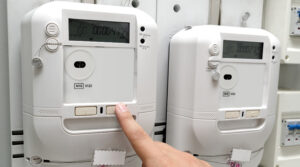
If your panels are already installed but the subsidy hasn’t arrived, your application may not be rejected. It could simply be pending at a step such as DISCOM inspection, net metering process, net-meter commissioning, certificate approval, vendor submission, bank verification, or CFA approval.
Fix: Log in to the portal and check your application status stage-by-stage rather than assuming rejection; follow up with your vendor or DISCOM on whichever step is pending.
14. Application is flagged as a duplicate or previously suspended
If a consumer number, bank account, or vendor combination was used in an earlier application (even one that was withdrawn or suspended), the system may flag a new submission as a duplicate entry. This can also happen if a household member applied earlier for the same connection.
Fix: Before reapplying, check with your DISCOM or the vendor whether any prior application exists against the same consumer number or account, and get it formally closed before submitting a new one.
15. PFMS name mismatch
Your name is validated against the Public Financial Management System (PFMS), which pulls it from your bank’s core banking records, not from the passbook you uploaded. Even if your electricity bill and passbook match, your application can still fail if your bank records show a different name. This could be due to initials, a missing middle name, or a maiden name that was never updated after marriage. This rejection often confuses applicants because every document they submitted looked consistent.
Fix: Ask your bank to confirm the exact name format recorded in their system, and enter that version on the portal. If your bank record itself is outdated, get it updated before you reapply.
16. Bank account validation pending or rejected
Before the subsidy is released, the account goes through a verification check. Accounts that are dormant, frozen, KYC-incomplete, or subject to transaction restrictions can fail this check even if every document you uploaded was correct. A basic savings account with a low transaction cap can also create problems when the subsidy amount is being credited.
Fix: Confirm with your bank that the account is active, fully KYC-compliant, and able to receive the credit. If it’s been inactive for a while, complete re-KYC and run a small transaction before you reapply.
17. Bank name or IFSC changed after a merger
Several public sector banks have merged in recent years, and the IFSC codes of the merged branches changed as a result. If your passbook or cancelled cheque still carries the old bank name and IFSC, the details won’t validate against current records, even though the account itself is perfectly active.
Fix: Check your current IFSC with your bank or on your bank’s official website, and use the updated bank name and IFSC in the application. Upload a fresh cheque leaf or passbook page carrying the revised details.
18. Missing undertaking form or government ID proof
The application requires a signed undertaking along with a valid government-issued ID proof. Applications are commonly sent back when the undertaking is unsigned, incompletely filled, uploaded in the wrong format, or submitted without the accompanying ID document. An ID whose name or address doesn’t line up with the rest of the application creates the same problem.
Fix: Download the current undertaking format from the portal rather than reusing an old copy, fill it completely, sign it, and upload it with a clear scan of your ID proof.
19. Builder, developer, or promoter undertaking not provided
If the rooftop isn’t solely yours, such as in an apartment building, a housing society, or a property where the builder still holds possession or roof rights, you need written consent from the builder, developer, promoter, or society before the installation can be approved. Applications from flat owners and society members are frequently held up here because this document was never arranged.
Fix: Get the undertaking or NOC from the builder or the society’s managing committee in writing before you apply. In a society, this usually means a resolution passed at a committee meeting, so start the process early.
20. Geo-tagged photo requirement
Installation photographs uploaded after commissioning need to carry geo-tagging, showing the location coordinates of the installed system. Photos taken on a camera without location services enabled, images cropped or edited after capture, or screenshots of photos can strip out this data and delay the claim.
Fix: Ask your installer to capture the photographs using a geo-tagging camera app with location enabled, and to upload the original files without editing or compressing them.
Permanent vs Fixable Rejections
Not every rejection is the end of the road. Knowing which bucket your case falls into saves you time and false hope.
Permanent (cannot be reversed after the fact):
- Non-empanelled vendor: Any installation done by a vendor who is not registered on the PM Surya Ghar Muft Bijli Yojana portal will not be eligible for solar subsidy and, the subsidy for that property is permanently lost. The system may still function fine, but the solar subsidy is gone.
- Non-ALMM-listed panels: If the panels installed aren’t on the approved list, there’s no way to retroactively qualify that installation for CFA (Central Financial Assistance).
- DCR non-compliance: If the cells/modules installed don’t meet the applicable Domestic Content Requirement, including the ALMM List-II requirement for cells, the installation cannot be retroactively made compliant. Verification has to happen before installation.
Fixable (before or after rejection):
- Bank document issues (blurry, handwritten, wrong account type, invalid document type): Correctable by uploading fresh, machine-printed documents from an active savings account.
- Name, account number, or IFSC mismatches between the form and your documents: Correctable by updating records and resubmitting.
- PFMS name mismatch: Fixable by confirming the exact name held in your bank’s core banking records and entering that version, or by getting the bank record itself updated.
- Bank account validation pending or rejected: Fixable by activating a dormant account, completing re-KYC, or clearing any restriction with your bank, then resubmitting.
- Bank name or IFSC changed after a merger: Fixable by obtaining the revised IFSC from your bank and uploading a fresh cheque leaf or passbook page.
- Missing undertaking form or government ID proof: Fixable by downloading the current undertaking format, completing and signing it, and uploading it with a clear ID scan.
- Builder, developer, or promoter undertaking not provided: Fixable by obtaining written consent from the builder or the society’s managing committee. Arrange this early, as society approvals can take time.
- WCR/DCR certificate mismatches: Fixable by having the vendor re-verify and re-upload the correct serial numbers.
- Geo-tagged photo requirement not met: Fixable by having the installer recapture the photographs with location services enabled and upload the unedited original files.
- Wrong connection category (commercial/industrial/agricultural instead of residential): Fixable by getting the connection category corrected with your DISCOM, then reapplying.
- Incorrect consumer number or DISCOM selected: Fixable by re-entering the correct consumer number and DISCOM as printed on your electricity bill.
- Incomplete installation or commissioning details: Fixable by having the vendor upload the missing certificates, correct equipment details, or clearer photographs.
- Pending net meter or commissioning: Not a rejection at all; resolves once the pending step (inspection, meter replacement, commissioning, vendor upload, etc.) is completed.
- Flagged as duplicate or previously suspended: Fixable by getting any prior application against the same consumer number or account formally closed, then reapplying.
The golden rule: All three permanent rejection causes, which relate to your vendor and the equipment they install, are also 100% preventable before installation begins. They’re never discovered by accident. Verifying the vendor’s empanelment, the panel model, and DCR/ALMM compliance in writing at the start prevents every one of them.
The Pre-Installation Checklist: Prevent Subsidy Rejection Before It Happens
Before you finalize a solar company for your home rooftop solar installation, make sure you go through the following checklist:
- Before choosing a vendor:
- Verify the vendor’s MNRE empanelment at pmsuryaghar.gov.in. Do not accept verbal confirmation.
- Confirm the vendor’s proposed panels are ALMM-listed. Ask for the MNRE certificate number.
- Before registration on the portal:
- Verify the name on your electricity bill and bank account match exactly, including spelling, initials, and order.
- Upload a clear, machine-printed cancelled cheque or passbook copy from an active savings account. Avoid handwritten corrections, blur, or hidden IFSC/account numbers.
- Re-check every manually typed bank detail (account number, IFSC) against the uploaded document before submitting.
- Confirm your account is an active savings account, not current, NRE, PPF, loan, or cash credit.
- After installation:
- Ask your installer to verify every module serial number on the DCR certificate matches the portal entry before it’s uploaded.
- Cross-check the final application form against every uploaded document, account number, name, and IFSC code before final submission.
What to Do If Your PM Surya Ghar Muft Bijli Yojana Application Is Rejected
A rejected PM Surya Ghar Muft Bijli Yojana online application doesn’t always mean you’ve lost your subsidy. In many cases, the issue can be identified, corrected, and the application resubmitted or escalated through the right channels.
Here’s a checklist on how to proceed once the application is rejected:
- Get the rejection reason in writing: Log in to pmsuryaghar.gov.in and check your application status for the specific failure message. If it’s unclear, visit your local DISCOM section office in person.
- Identify the problem: Whether the rejection is permanent or fixable using the breakdown above.
- For fixable rejections: Rectify the specific issue, correct the name mismatch, re-upload a clear bank document, fix the DCR serial number mismatch, and resubmit the application as appropriate.
- For DBT failure after commissioning: Raise a grievance directly at pmsuryaghar.gov.in under the grievance section, or call the PM Surya Ghar helpline at 15555.
- If the DISCOM is unresponsive: Escalate to your state electricity regulatory commission, or file a consumer complaint through the DISCOM’s consumer grievance forum.
- For complex disputes: Contact MNRE’s (Ministry of New and Renewable Energy) national helpline at 1800-180-3333, and keep a written record of all correspondence in case you need to escalate formally.
Conclusion
Most rooftop solar subsidy delays aren’t caused by government processing; they’re caused by simple documentation errors that can easily be avoided.
Since the PM Surya Ghar Muft Bijli Yojana scheme offers a subsidy of up to ₹78,000, it’s worth taking a few extra minutes to review every detail before submitting your application. A careful submission can help ensure faster approval and a smooth subsidy credit directly into your bank account.
If you’d rather avoid the paperwork altogether, SolarSquare takes care of the entire process for you, from designing your rooftop solar system and handling installation to managing subsidy documentation and application support. Our experts ensure your paperwork is accurate, complete, and submitted correctly, so you can focus on enjoying lower electricity bills instead of worrying about the subsidy approvals. SolarSquare has also helped its customers successfully receive more than ₹300 crore in rooftop solar subsidies to date (21st September 2026).
Get a free solar consultation and personalized quotation from SolarSquare today, and let our team help you make the switch to rooftop solar with complete peace of mind.
Frequently Asked Questions
Can I reapply for PM Surya Ghar subsidy after rejection?
Yes, for fixable rejections like bank document issues, name/account mismatches, DCR certificate errors, or incomplete portal steps, you can correct the issue and resubmit or continue the same application. Permanent rejections (non-empanelled vendor, non-ALMM panels) cannot be reapplied for.
Why is name mismatch such a common PM Surya Ghar rejection cause?
Because the subsidy is credited via DBT (Direct Bank Transfer), the system cross-checks your name across your electricity bill and your bank account. Even small differences in spelling or initials can cause an automatic mismatch flag, since these are separate databases that don’t always sync.
What does “non-ALMM panels” mean, and why does it cause the solar subsidy rejection?
ALMM (Approved List of Models and Manufacturers) is MNRE’s official list of panel makers and models eligible for subsidy schemes. If a vendor installs panels that aren’t on the approved list, the system may not qualify for CFA, even if the installation meets quality standards.
My PM Surya Ghar subsidy was not credited even after commissioning. What should I do?
First, check that your bank account is an active savings account and that the account number and IFSC code exactly match what you entered on the portal. If that’s confirmed and the amount still hasn’t arrived, raise a grievance on pmsuryaghar.gov.in or call the helpline at 15555.
Can a non-empanelled vendor’s work be “regularized” after installation to claim the subsidy?
No. Empanelment status is verified against the vendor at the time of installation, and there is no process to retroactively qualify a non-empanelled installation for CFA. This is why vendor verification has to happen before any contract is signed.
How long does it take to receive the PM Surya Ghar subsidy?
The time it takes to receive the PM Surya Ghar Muft Bijli Yojana subsidy depends on whether your application and documents are complete and accurate. Once your request is processed, the central subsidy is credited directly to your bank account via a direct transfer, usually within 30-45 days of the plant being commissioned. No cheque collection or office visit is needed.
What should I do if my solar subsidy application is returned for correction?
If your solar subsidy application is returned for correction, first check the reason mentioned on the PM Surya Ghar portal. Common issues include mismatched names, incorrect bank details, blurry document uploads, or errors in the DCR certificate or Work Completion Report (WCR). Correct the highlighted issue, upload the revised documents if required, and resubmit the application. If your rooftop solar system was installed by SolarSquare, our team assists you throughout the subsidy process, helping resolve documentation issues and ensuring your application is resubmitted correctly.